School management software
School management software that follows your school day.
What does school management software actually do? Here is one day at a school running Anytime ERP — from the first bell to the accounts.



A day with Anytime ERP
From 7:45 am to month end.
7:45 am
Before the first bell: a teacher calls in sick
Her leave is approved. Her four classes today are flagged as needing a teacher, and the teachers free in each period are listed — those who teach the subject first.
Timetable and substitutions →8:52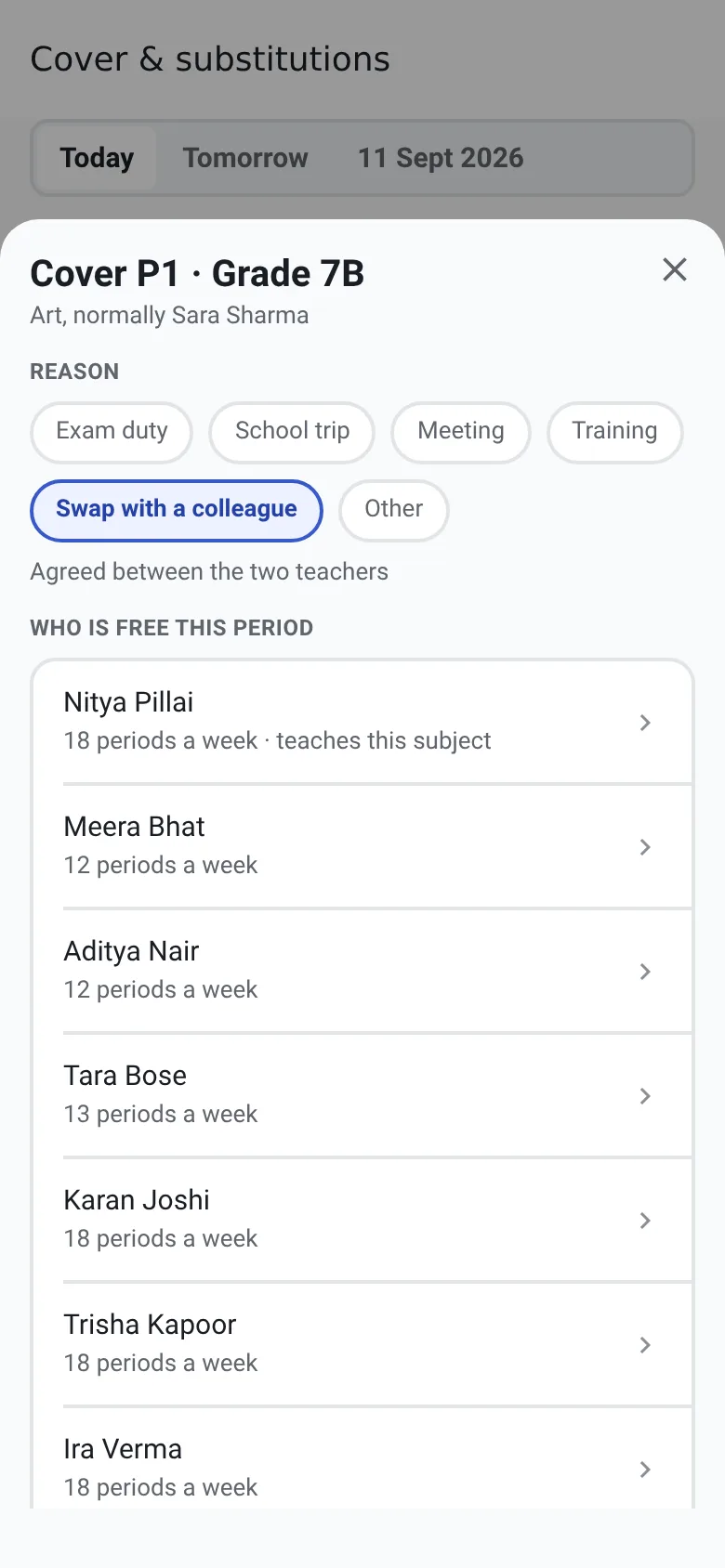
8:05 am
First period: registers are marked
Everyone starts present, so teachers mark only who is absent or late. Classes that haven’t marked attendance show up before the register closes.
Attendance management →8:52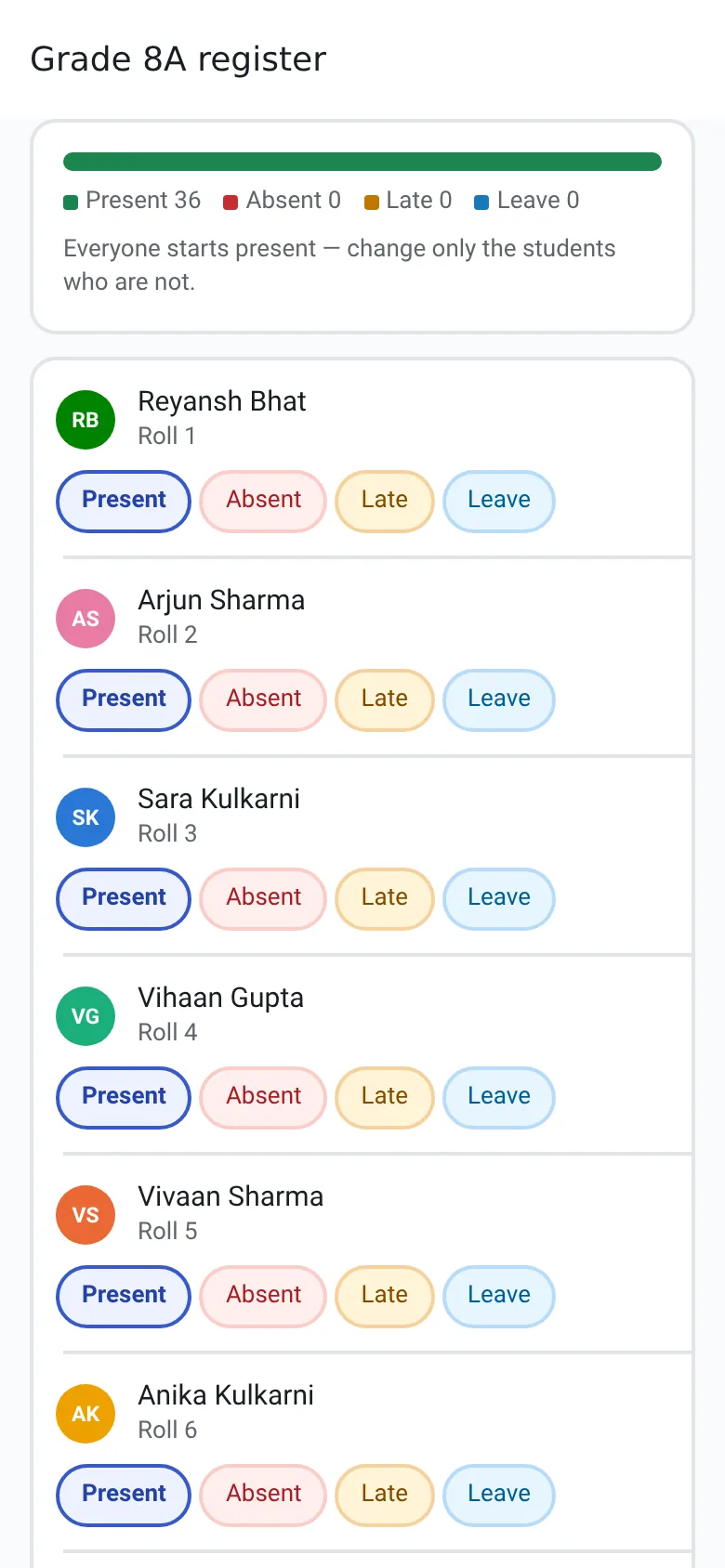
9:00 am
The principal’s morning
One screen answers “what needs my attention today?” — classes without a teacher, unmarked registers, leave requests, fee approvals and families waiting for a call.
The school ERP for principals →app.anytimeerp.in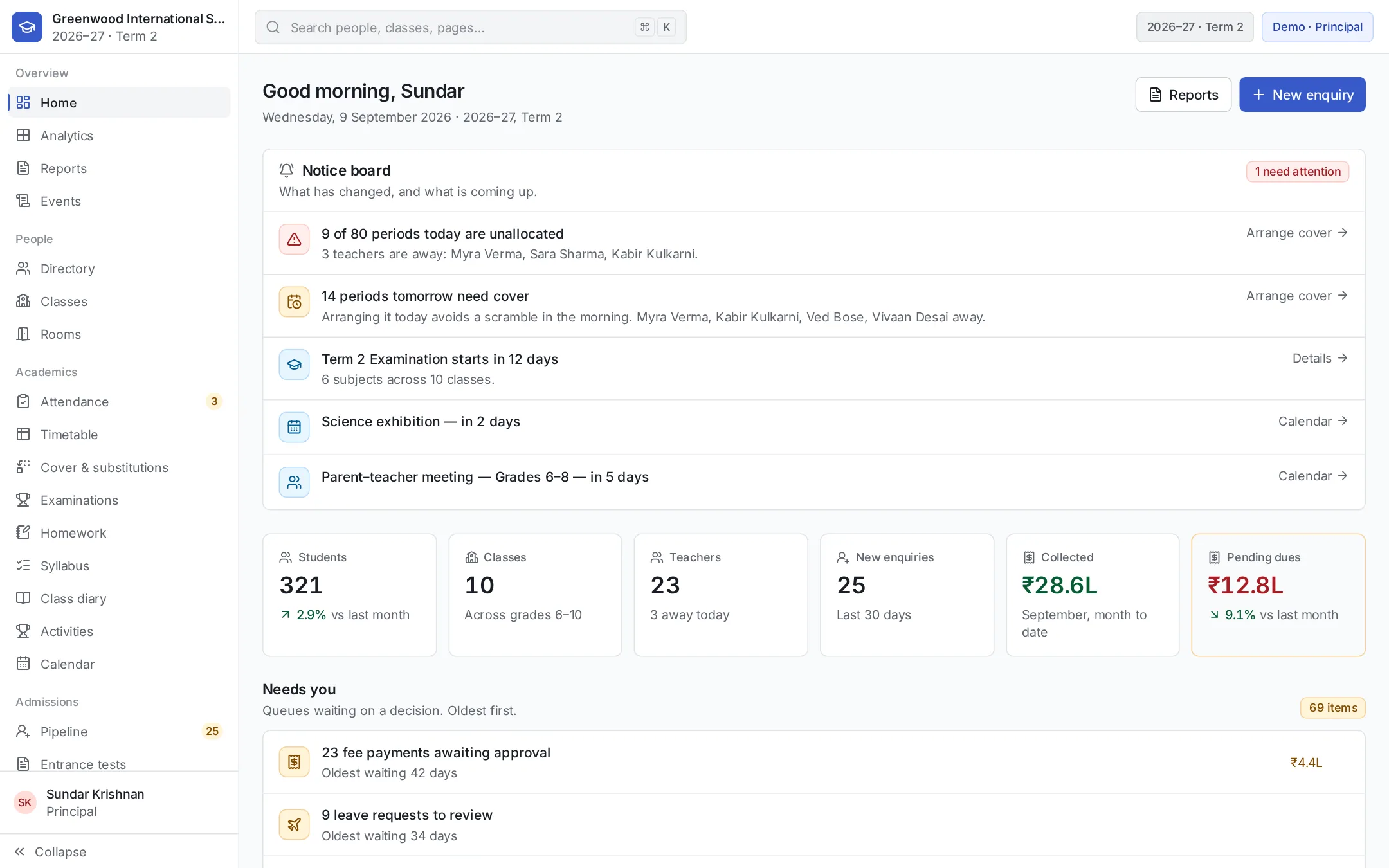
11:00 am
The school office
Fee payments are approved and receipts issued, a transfer certificate is printed with its serial number, and new admission enquiries get an owner and a follow-up date.
Fee management →app.anytimeerp.in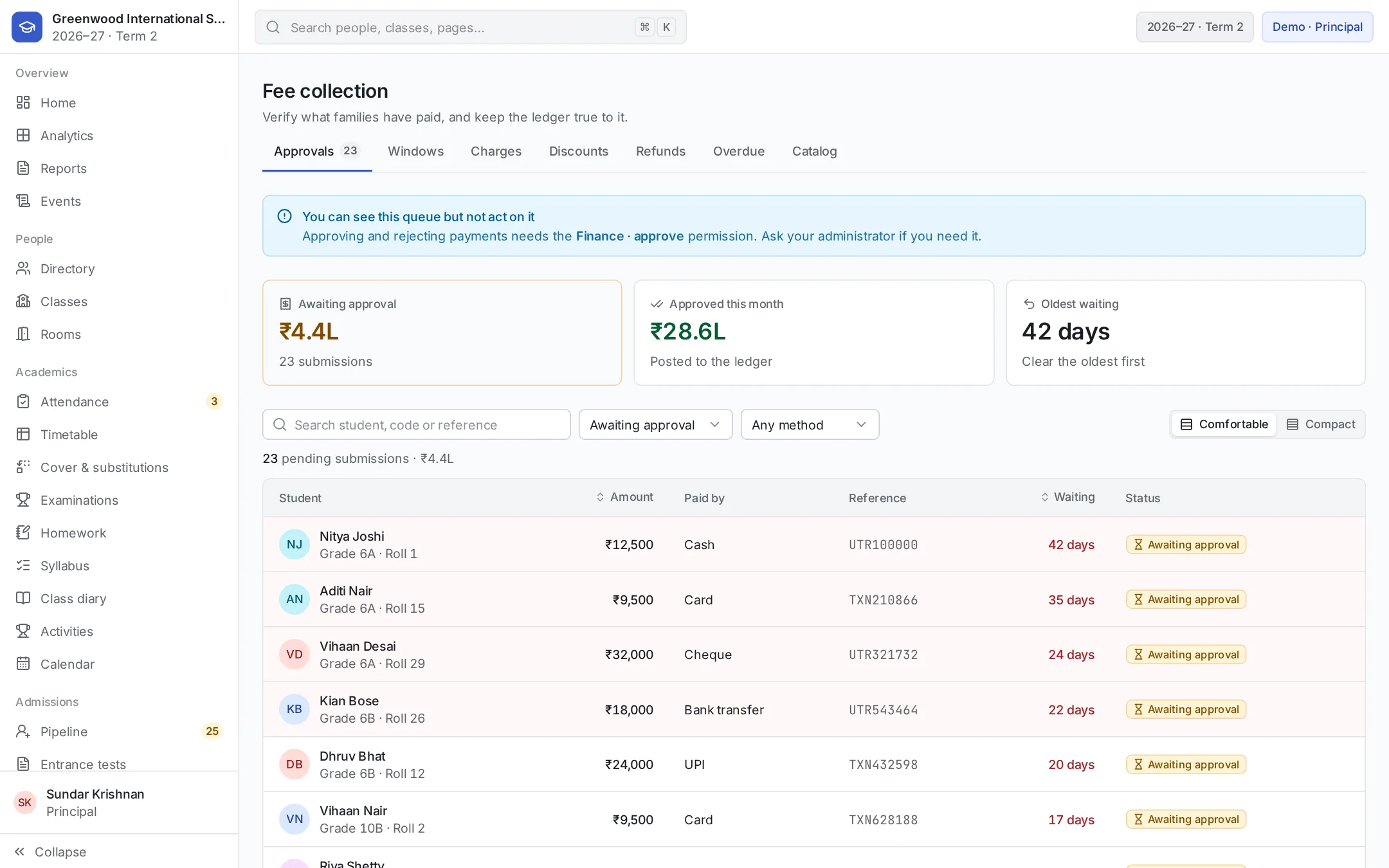
2:00 pm
In the classroom
Homework is set and every student gets a submission record, so missing work is visible. Syllabus progress is updated, and a note goes on a student’s record.
Student management →app.anytimeerp.in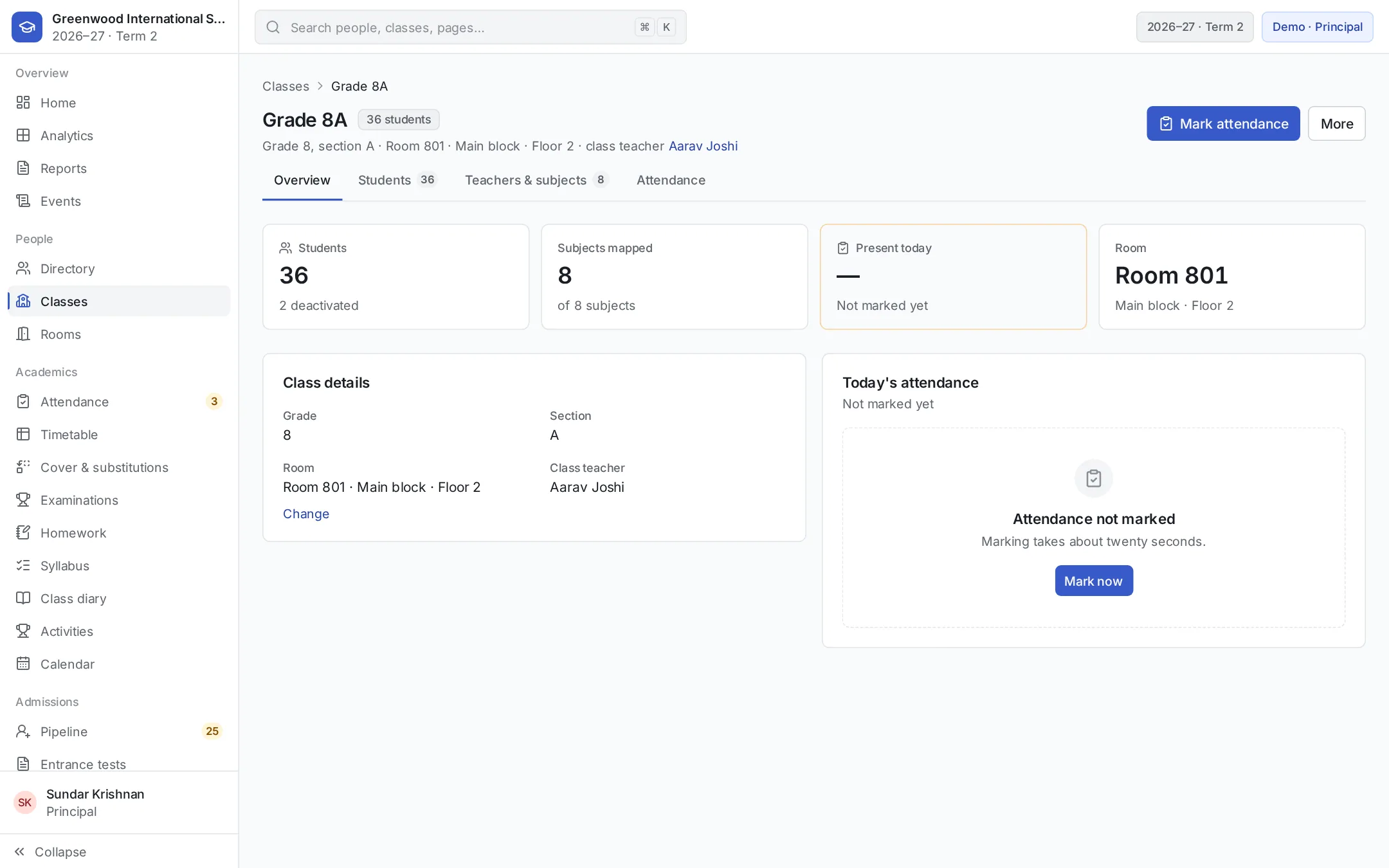
This term
The exam that is ready on time
The Term 2 exam stays a draft until its datesheet, syllabus portions, seating and invigilation are complete — and it says exactly what is still missing.
Examination management →app.anytimeerp.in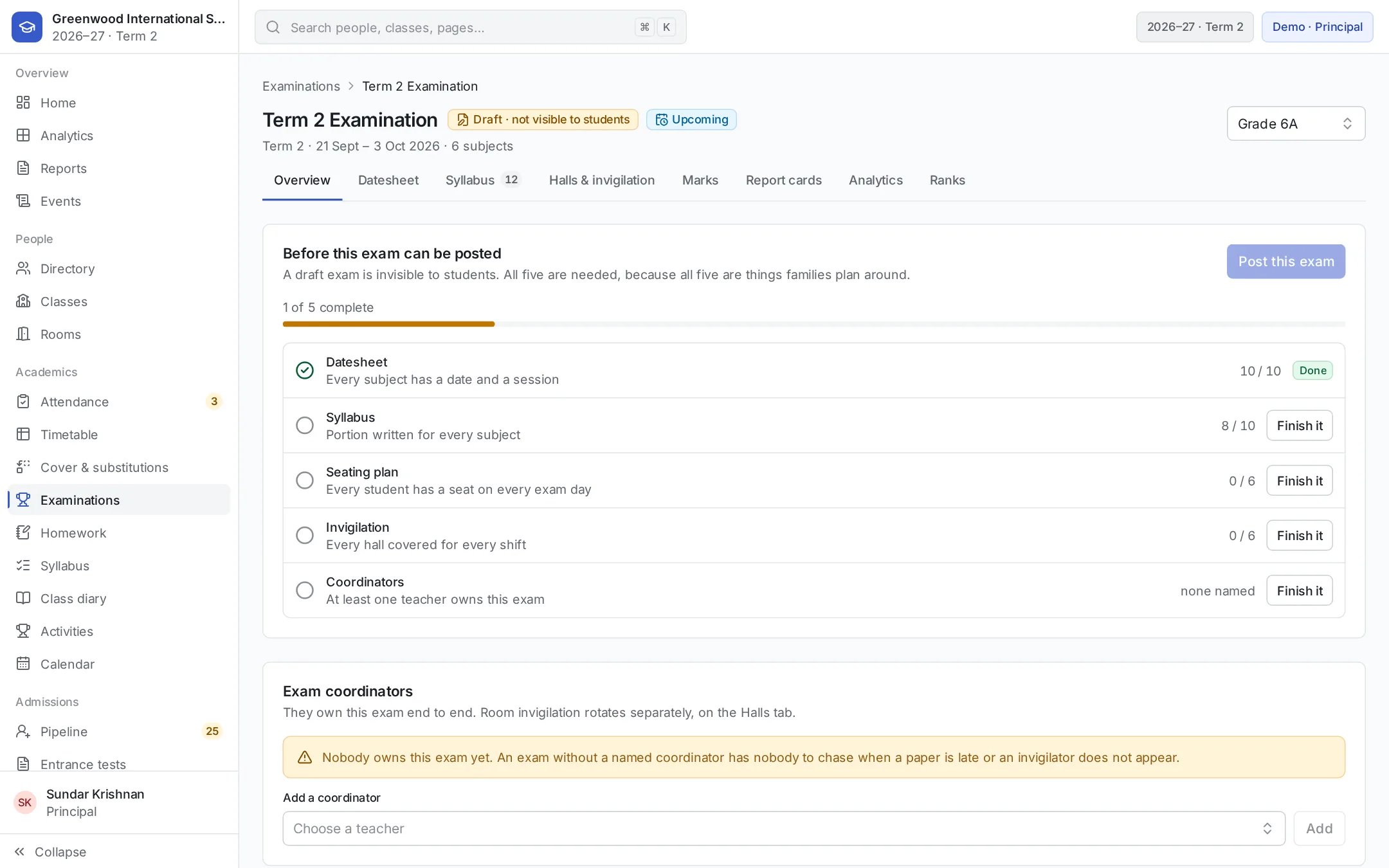
Month end
Payroll and leave balances
Salaries are paid from each employee’s structure — PF, ESI and TDS included — payslips are printed, and leave balances are up to date.
Staff, leave and payroll →Evening
Parents are in the loop
On their phone, parents see homework due, attendance, fee reminders and exam dates — for each of their children.
Admissions and enquiries →8:52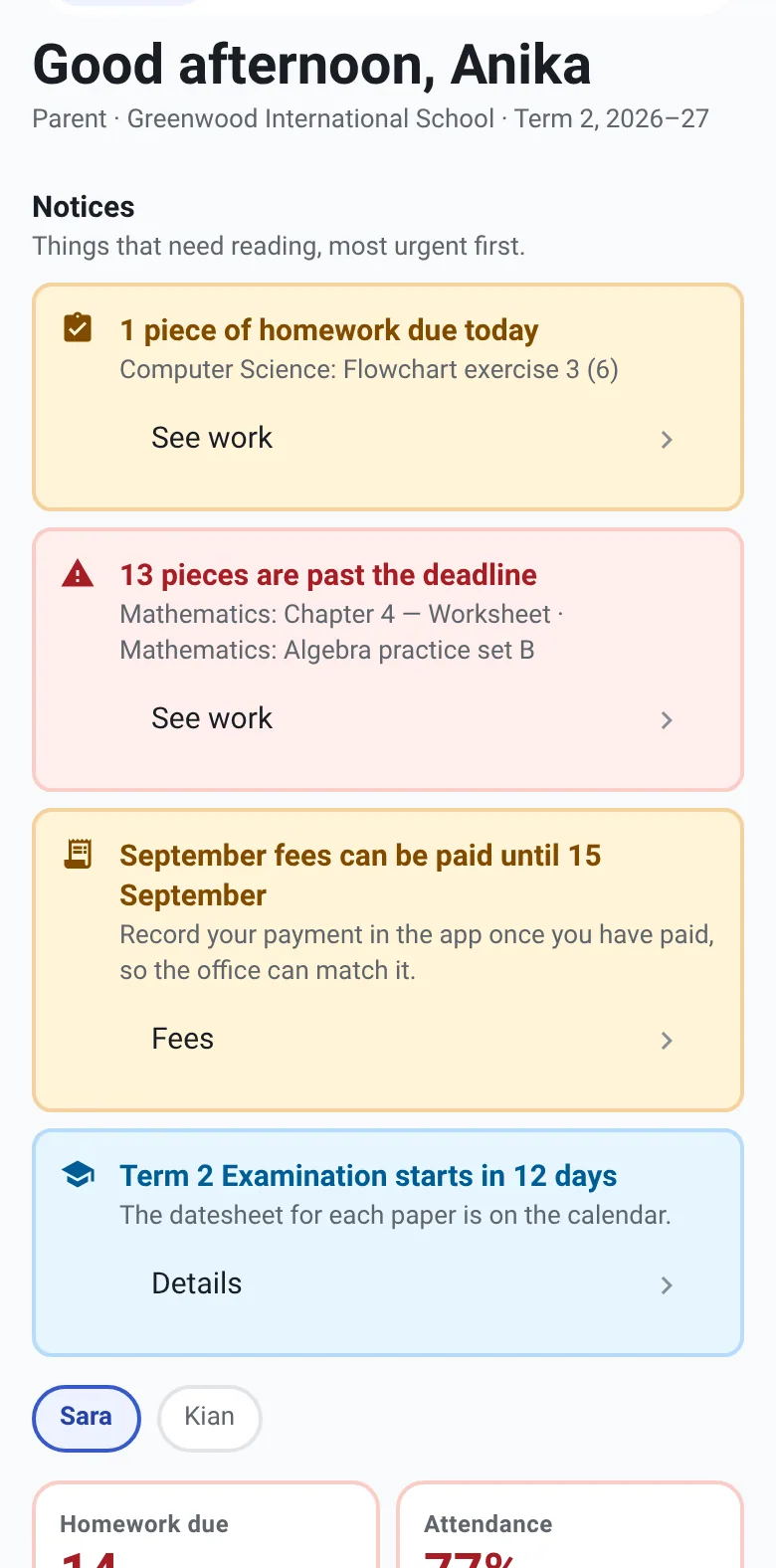
School management software questions
Want the full list? See everything in the Anytime ERP school ERP software or browse all features.
See your school’s day in Anytime ERP.
Book a personalised walkthrough of your school’s requirements.